If you cannot remember your password, you can reach out to your Organisation Administrator at your health service to reset or you can reset it by:
- Clicking the Reset Password button.
- Enter your username and email associated with your HHCApp account - both fields are mandatory:
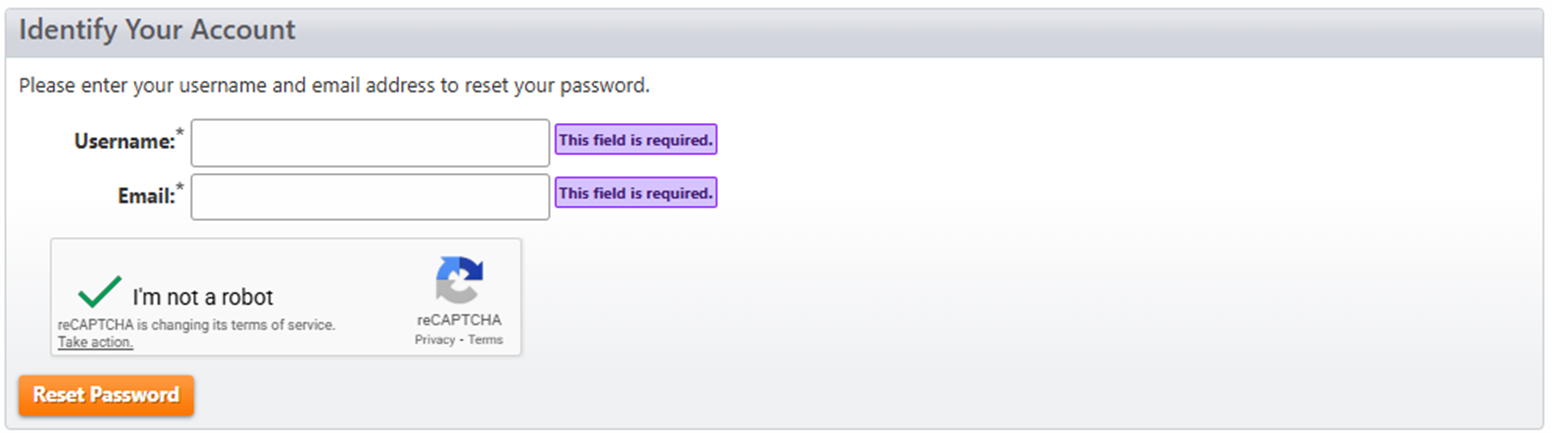
- If the login ID or email address you have entered matches what is registered in HHCApp, an email with a password reset link will be sent to your registered email address.
- Follow the instructions within this email to reset your password.
If you do not know your registered email address or Login ID, click here.
Was this article helpful?
That’s Great!
Thank you for your feedback
Sorry! We couldn't be helpful
Thank you for your feedback
Feedback sent
We appreciate your effort and will try to fix the article