To update your organisation:
1. Log in to your profile at https://nhhi.southrock.com
2. Click either the ‘click here to change your organisation’ link next to your linked organisation or the ‘Change my Organisation’ tab from the ‘shortcuts’ menu on the right of your home screen. A new window will open.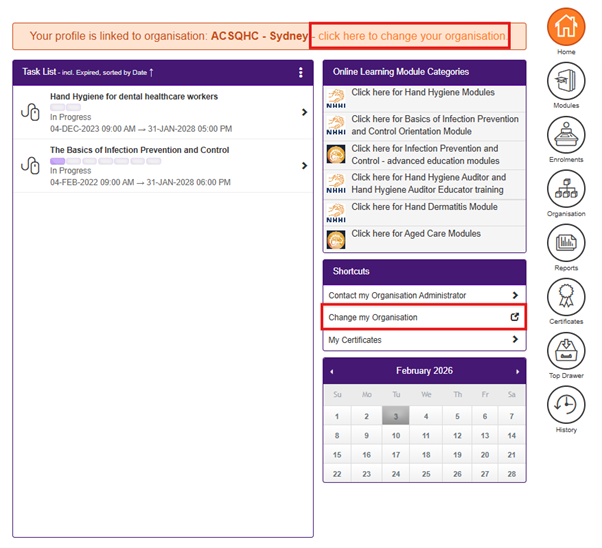
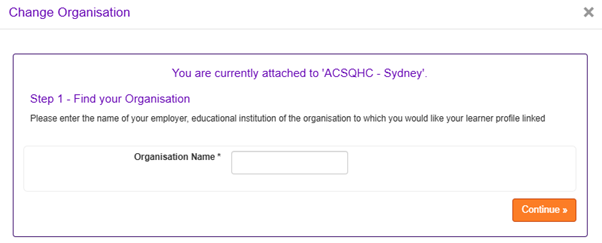
3. Enter your organisation name and click ‘Continue’:
4. Select your organisation from the list that appears and click ‘Continue’.
NOTE: You can only link your profile to an organisation that has been registered within the National Hand Hygiene Initiative Learning Management System. If you are unable to locate your organisation, please select 'My organisation is not listed'. You will then be directed to choose 'Cannot find my organisation' and enter details about your organisation so that you can be linked to your organisation when it is registered.
Was this article helpful?
That’s Great!
Thank you for your feedback
Sorry! We couldn't be helpful
Thank you for your feedback
Feedback sent
We appreciate your effort and will try to fix the article