As organisation administrator, you have access to the training records for all staff linked to your organisation(s) in the NHHI Learning Management System (LMS). You can access learner completion certificates following these steps:
- Log into the NHHI LMS at (https://nhhi.southrock.com/)
- Select the ‘Organisation’ circular icon from the icons that appear on the right hand side of the home screen
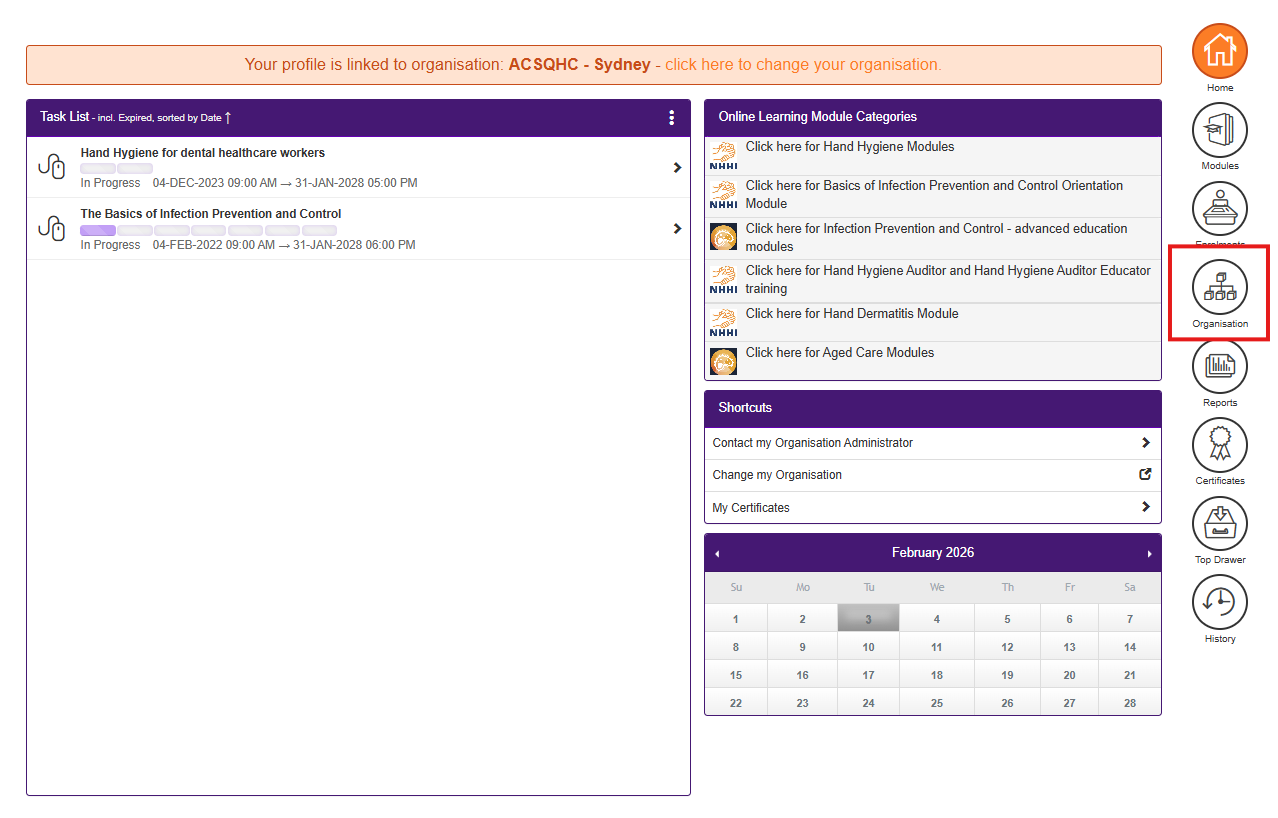
- The ‘Organisation Details’ screen will open. If you have access to more than one organisation, please select the relevant organisation from the ‘Select Organisation’ drop-down menu
- Select the ‘Staff’ tab to view the list of all of the staff attached to that organisation

- Locate the relevant staff member’s details in the list and in the ‘Go to’ column for the learner choose ‘Certificates’ from the drop down options that appear
- Four icons will appear on screen. Select the ‘Certificates’ icon
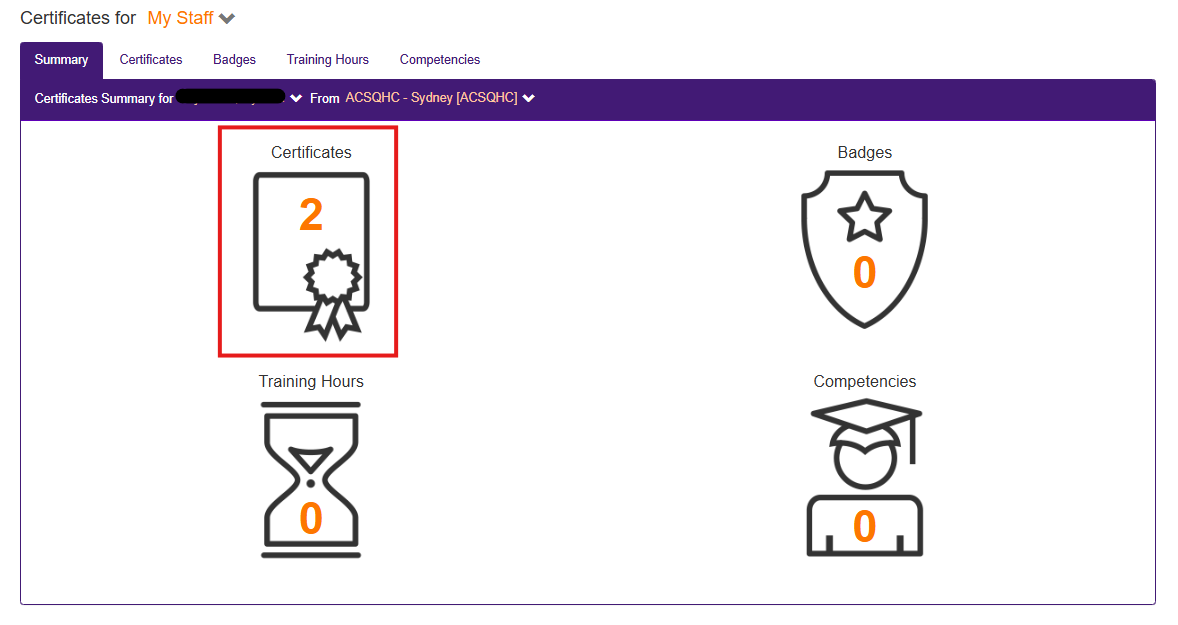
- A list of current certificates will appear on screen. Select the certificate you are looking for by clicking the orange square with the white ‘eye’ icon under the ‘Action’ column to view the certificate
The certificate will open in a new window. You can download and save or print this certificate.
Was this article helpful?
That’s Great!
Thank you for your feedback
Sorry! We couldn't be helpful
Thank you for your feedback
Feedback sent
We appreciate your effort and will try to fix the article