Click on the incorrect module on your task list, then press the 'cancel enrolment' button:
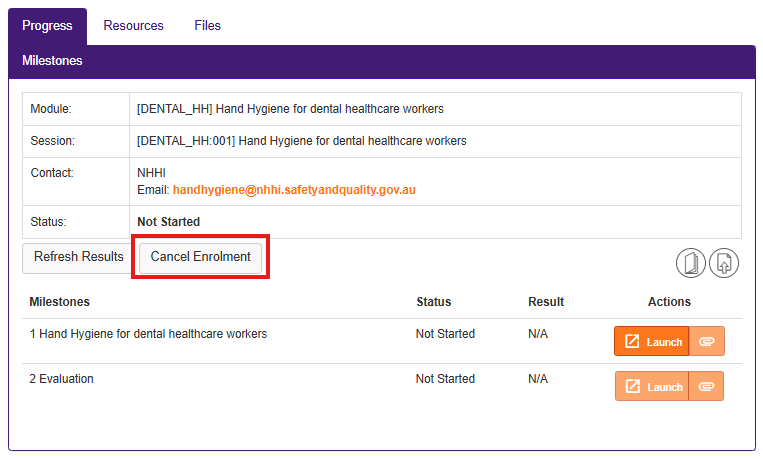 This will remove the module from your task list.
Then you need to follow the steps to enrol in a learning module to enrol in the correct module.
Was this article helpful?
That’s Great!
Thank you for your feedback
Sorry! We couldn't be helpful
Thank you for your feedback
Feedback sent
We appreciate your effort and will try to fix the article