Learner registration requirements:
- Learners must register with unique and valid email address – email addresses must not be shared among users and generic email addresses such as admin@ and reception@ etc cannot be used to register learner profiles
- Learners should have only one profile in the NHHI LMS
- Learners need to have basic level computer literacy to be able use the NHHI LMS.
How to register a new profile:
1. Go to National Hand Hygiene Initiative (NHHI) Learning Management System (LMS) - Register new profile.
2. Read the important information about learner requirements carefully. Tick the box to confirm you have read and understood the information. Click Continue.
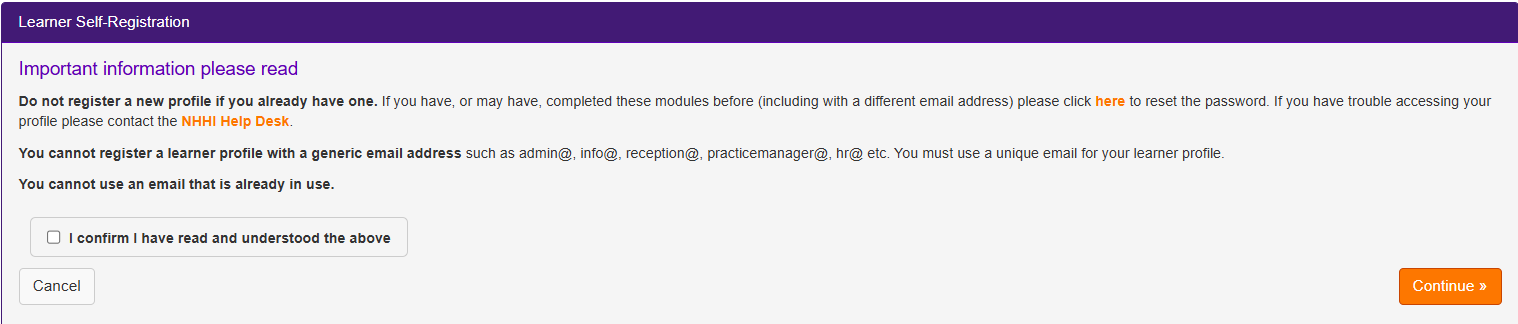
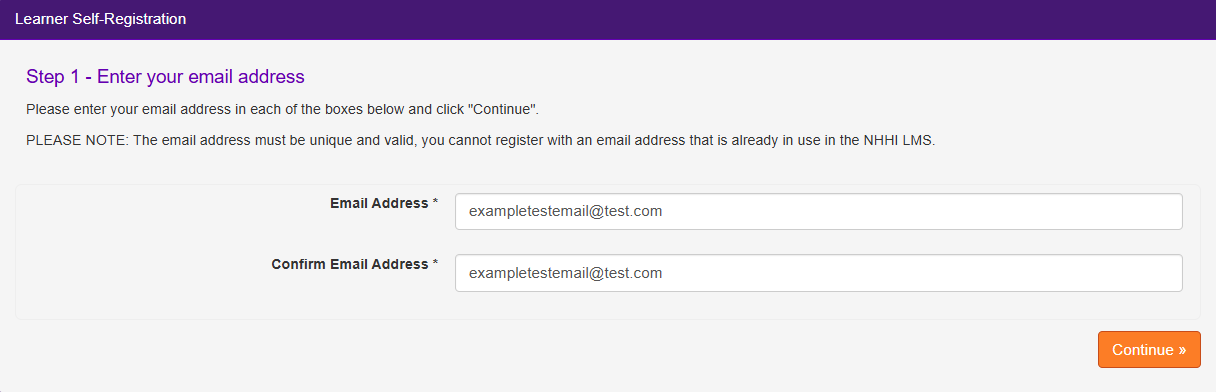
3. Enter your email address in the email address fields. The same email address should be used in both fields. This is your registered email address and will be the address used by the system to correspond with you for password resets. Click Continue.
4. If you know your organisation is not listed, or you are a sole trader or contractor working in a healthcare organisation, enter ‘not applicable’ in the organisation name field. Click Continue.
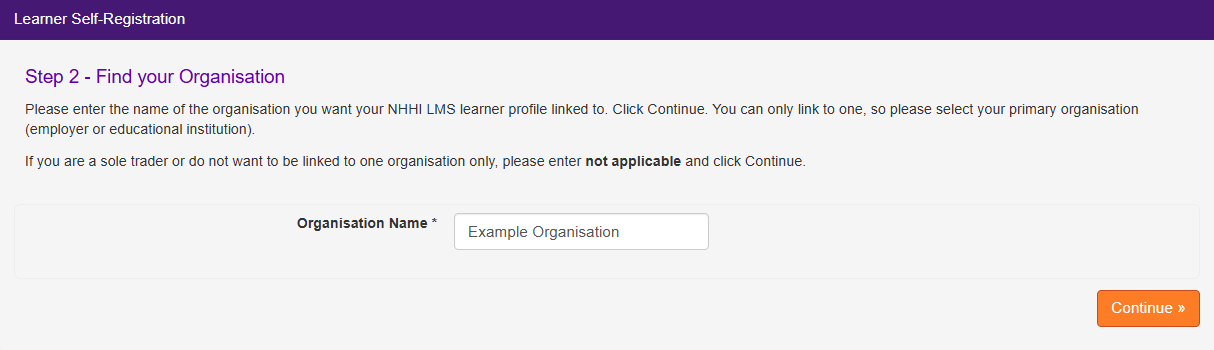
5. If your organisation is registered in the NHHI LMS and you would like to attach your NHHI LMS learner profile to it, please enter the organisation name. Click Continue.
NOTE: You can only attach yourself to one organisation, so please select your primary organisation (employer or educational institution)
6. Select your organisation from the list that appears. Click Continue.
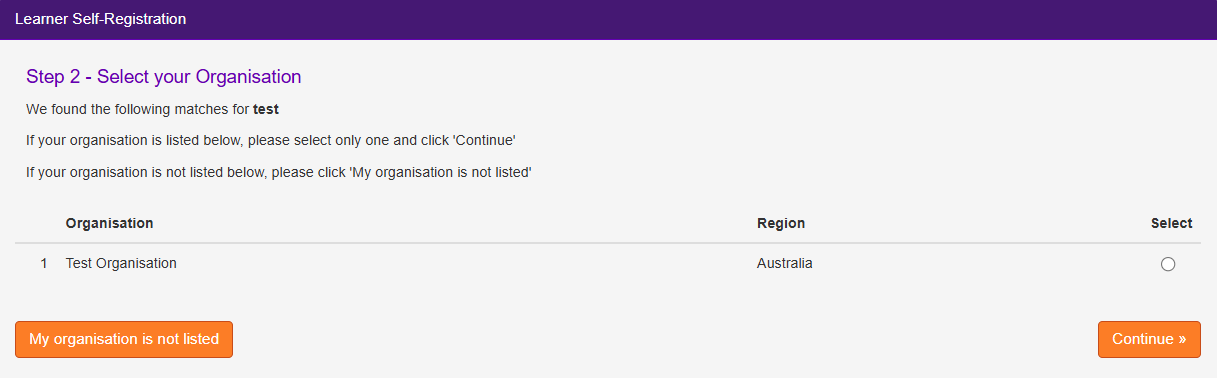
If your organisation does not appear in the list, click My organisation is not listed to search again.
7. If your organisation does not appear after searching, click Cannot find my organisation.
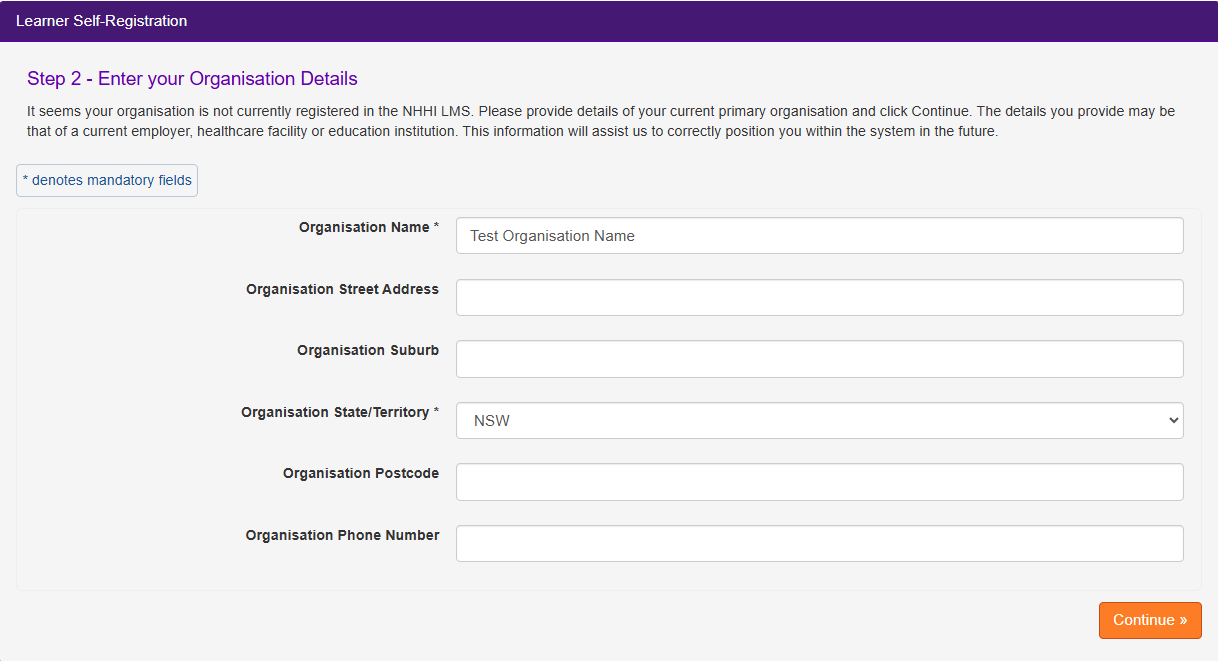
On the next page, enter your organisation name and organisation state/territory (mandatory fields). Click Continue when you have completed these fields. This information will be stored in the NHHI LMS to assist in attaching you to the correct organisation in the future.
8. Next fill out your details, create your password and agree to the privacy terms. If you do not have an employee number or student number, be sure to click the tick box next to either I don’t have an Employee Number/Student Number options.
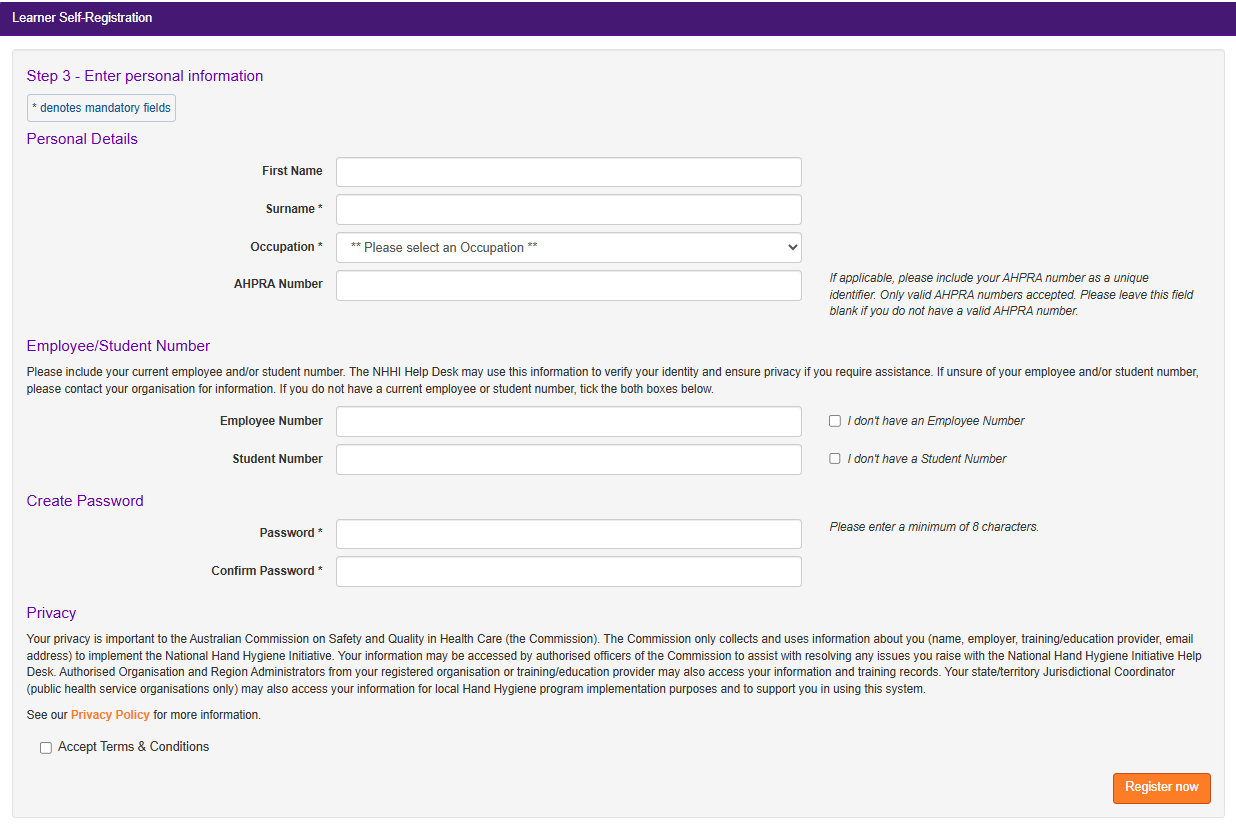
Then click Register Now
9. A pop-up screen will advise that your registration was successful and will provide your Login ID and details. Your registered email address will also receive an email with your login details. Click Close on the pop-up screen to begin using the NHHI LMS.
Once registered:
- Your login details will be emailed to you and provided on the screen.
- You can self-enrol in modules.
- You do not need to complete a module in one sitting - you can save your progress and return to finish modules at another time.
- You can access your certificate and training history at any time within the achievements section.
Privacy
Your privacy is important to the Australian Commission on Safety and Quality in Health Care (the Commission). The Commission only collects and uses information about you (name, employer, training/education provider, email address) to implement the National Hand Hygiene Initiative. Your information may be accessed by authorised officers of the Commission to assist with resolving any issues you raise with the National Hand Hygiene Initiative Help Desk. Authorised Organisation and Region Administrators from your registered organisation or training/education provider may also access your information and training records. Your state/territory Jurisdictional Coordinator (public health service organisations only) may also access your information for local Hand Hygiene program implementation purposes and to support you in using this system.
Still need help?
Contact the NHHI Help Desk. To verify your identity, please provide the following.
- List of emails that may have been used (including past and current personal, work or student emails, even if you no longer have access to these)
- Organisation names (including past and current health organisations you have worked for and/or educational institutions where you have studied e.g. TAFE, university)
- Employee/student number (include past and current employer/ learning institution numbers)
- AHPRA number (if applicable)
- Any alternative personal names OR spellings.
Was this article helpful?
That’s Great!
Thank you for your feedback
Sorry! We couldn't be helpful
Thank you for your feedback
Feedback sent
We appreciate your effort and will try to fix the article