To retrieve your completion certificate from the NHHI LMS:
- Log in to your profile at https://nhhi.southrock.com
- In the Shortcuts menu on the right-hand side of your home screen, select ‘Certificates'
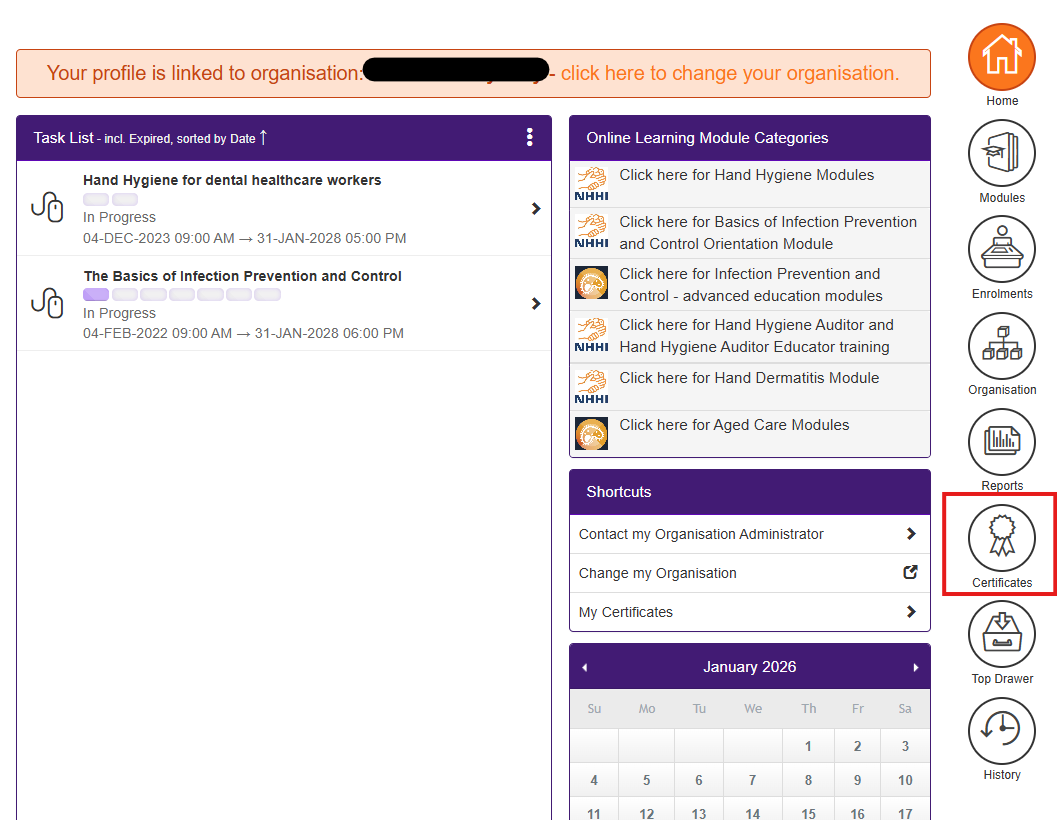
- A new screen will open, and your current certificates will be visible
- To view a certificate, click on the orange square with the white eye icon under the Action column
- The certificate screen will open. You can then save or print the certificate.
Was this article helpful?
That’s Great!
Thank you for your feedback
Sorry! We couldn't be helpful
Thank you for your feedback
Feedback sent
We appreciate your effort and will try to fix the article